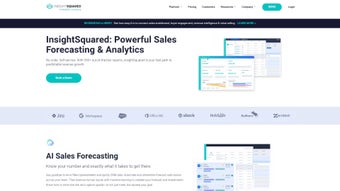

Download InsightSquared – AI‑Driven Revenue Analytics & Forecasting
Why InsightSquared Is a Game‑Changer for Revenue Teams
In today’s hyper‑competitive market, revenue leaders can no longer rely on static spreadsheets or gut‑feel decisions. InsightSquared arrives as an AI‑driven platform that transforms raw sales data into actionable intelligence, giving teams a crystal‑clear view of pipeline health, forecasting accuracy, and performance trends. Built for sales, marketing, customer success, and staffing professionals, the web‑based application consolidates multiple data sources—CRM, marketing automation, billing systems—into a single, interactive hub.
Its intuitive design eliminates the learning curve that typically accompanies enterprise‑grade analytics tools, allowing users to dive straight into insights without extensive training. By automating forecast submissions and injecting machine‑learning validation, InsightSquared reduces human error, mitigates risk, and frees up reps to focus on selling. Whether you are a small SaaS startup seeking predictable growth or a multinational enterprise aiming to align RevOps across continents, the platform scales to meet demand, delivering real‑time dashboards, conversation intelligence, and guided‑selling recommendations that empower every stakeholder to make data‑driven decisions.
The result is a more predictable revenue stream, higher win rates, and a measurable boost in overall sales efficiency. In addition, the solution adheres to the latest security standards, ensuring that sensitive financial data remains protected while still being easily accessible to authorized users across the organization. This blend of predictive power, ease of use, and robust security makes InsightSquared a compelling choice for any revenue‑focused organization looking to stay ahead of the curve.
Core Features, Security, and Compatibility That Power Predictable Revenue
- AI Sales Forecasting: Replaces manual spreadsheets with automated, machine‑learning‑validated forecasts that adapt to market shifts.
- Activity Capture: Automatically logs calls, emails, and meetings, ensuring a complete view of rep engagement.
- Conversation Intelligence: Analyzes recorded calls to surface key topics, sentiment, and coaching opportunities.
- Guided Selling: Delivers next‑best‑action recommendations based on historical win patterns and buyer behavior.
- Interactive Reporting: Drag‑and‑drop visualizations that turn complex datasets into intuitive charts and heat maps.
- RevOps Dashboards: Centralized view of marketing‑generated pipeline, sales velocity, and customer‑success health metrics.
- Customizable Metrics: Build KPI widgets that align with your organization’s unique revenue model.
- Secure Cloud Architecture: SOC‑2 compliant hosting, role‑based access controls, and end‑to‑end encryption.
Each capability is woven into a single, web‑based interface, meaning you never have to switch between disparate tools. The AI Sales Forecasting engine pulls historical deal data, seasonality factors, and rep‑level activity to generate probability‑based revenue predictions. Users can then drill down to see which opportunities are driving the forecast, adjust assumptions, and instantly see the impact on the overall revenue outlook.
Activity Capture works in the background, syncing with Outlook, Gmail, and major VoIP platforms to ensure that every touchpoint is recorded without manual entry. Conversation Intelligence adds another layer by transcribing calls, flagging objection handling, and surfacing upsell cues that might otherwise be missed. Together, these features create a virtuous cycle: better data fuels smarter AI, which in turn highlights new data collection opportunities, continually sharpening the organization’s revenue engine.
Supported operating systems: Windows 10/11, macOS 12+, Linux browsers (Chrome, Firefox, Edge); mobile browsers on iOS 14+ and Android 9+. Because InsightSquared runs entirely in the browser, there is no client‑side installation, and the experience is consistent across desktops, tablets, and smartphones.
Security is baked into every layer of the platform. Data is encrypted both at rest and in transit using TLS 1.3, and the service is hosted in SOC‑2 Type II certified data centers. Role‑based access controls let administrators define granular permissions, while single‑sign‑on (SSO) via SAML, Okta, or Azure AD streamlines user management and reduces password fatigue. For organizations with strict data‑privacy requirements, InsightSquared offers region‑specific data residency options and full compliance with GDPR, CCPA, and ISO‑27001. This combination of deep functionality, cross‑platform compatibility, and enterprise‑grade security positions InsightSquared as a future‑proof analytics foundation for any growth‑oriented business.
Getting Started – Installation, Daily Use, Pros & Cons, and Frequently Asked Questions
Because InsightSquared is delivered as a SaaS web application, there is no traditional “installation” on local machines. Getting started is as simple as creating a secure account, linking your existing data sources, and configuring user roles. The onboarding wizard walks administrators through connecting to popular CRMs such as Salesforce, HubSpot, and Microsoft Dynamics, as well as marketing platforms like Marketo or Pardot. Data connectors run on encrypted APIs, ensuring that information is transferred safely and in real time. Once the connectors are live, the platform automatically maps fields, normalizes data, and populates the first set of dashboards within minutes.
Step‑by‑step usage guide:
- Sign up: Visit the InsightSquared homepage, click “Start Free Trial,” and complete the registration form.
- Connect data sources: Use the integration panel to authenticate your CRM, marketing automation, and billing systems.
- Set up user roles: Define Admin, Analyst, Rep, and Executive roles to control data visibility.
- Configure forecasts: Choose your forecasting cadence (weekly, monthly) and let the AI engine generate the first projection.
- Explore dashboards: Navigate to the RevOps Dashboard to see pipeline health, win‑rate trends, and quota attainment.
- Enable conversation intelligence: Upload call recordings or integrate with your VoIP provider to start automatic transcription.
- Iterate and refine: Use the guided‑selling module to receive next‑step recommendations for each opportunity.
Pros
- AI‑driven forecasting eliminates manual spreadsheet errors.
- All‑in‑one platform consolidates CRM, marketing, and billing data.
- Conversation intelligence provides actionable coaching insights.
- Highly customizable dashboards adapt to any revenue model.
- Secure, SOC‑2 compliant cloud hosting ensures data safety.
- Fast onboarding with pre‑built connectors for major SaaS tools.
- Responsive design works on desktops, tablets, and smartphones.
Cons
- Pricing is positioned for mid‑size to enterprise customers; small teams may find it costly.
- Advanced AI features require a learning period for non‑technical users.
- Heavy reliance on data quality from source systems; poor CRM hygiene can affect insights.
- Limited offline capabilities due to SaaS nature.
Frequently Asked Questions
Is there a free trial available for InsightSquared?
Yes, InsightSquared offers a 14‑day free trial that includes access to all core modules, allowing teams to evaluate forecasting accuracy and dashboard customization before committing.
Which CRMs does InsightSquared integrate with out of the box?
Native integrations are available for Salesforce, HubSpot, Microsoft Dynamics 365, Pipedrive, and Zoho CRM. Additional connectors can be built via the open API.
Can InsightSquared handle multi‑currency revenue data?
Yes, the platform supports multi‑currency reporting and automatically converts amounts based on configurable exchange rates, making it suitable for global sales organizations.
How does InsightSquared ensure data security?
Data is stored in SOC‑2 compliant data centers, encrypted at rest and in transit. Role‑based access controls and SSO (SAML, Okta) further protect sensitive revenue information.
What kind of support is provided during implementation?
InsightSquared offers a dedicated Customer Success Manager for enterprise contracts, as well as onboarding webinars, a knowledge base, and 24/7 ticket support for all customers.
Final Verdict – Is InsightSquared Worth Your Investment?
For revenue‑focused organizations that demand accurate forecasting, deep pipeline visibility, and AI‑enhanced coaching, InsightSquared stands out as a comprehensive, future‑proof solution. Its ability to replace error‑prone spreadsheets with machine‑learning‑validated predictions not only saves time but also builds confidence among finance and executive teams. While the price point may be a hurdle for very small businesses, the ROI realized through higher win rates, reduced forecast variance, and streamlined RevOps processes often justifies the expense. The platform’s modular design means you can start with core forecasting and expand into conversation intelligence or guided selling as your maturity grows. If you’re ready to shift from reactive, data‑silod reporting to proactive, insight‑driven revenue management, downloading InsightSquared today could be the catalyst for predictable growth.
Start your free trial now and experience how AI‑powered analytics can transform your sales pipeline into a strategic asset.
Pros: AI forecasting, unified data view, conversation intelligence, robust security.
Cons: Cost for small teams, learning curve for advanced features.



.png)



